
Genesis Digital Key and Face Connect Explained: How Keyless Access Works
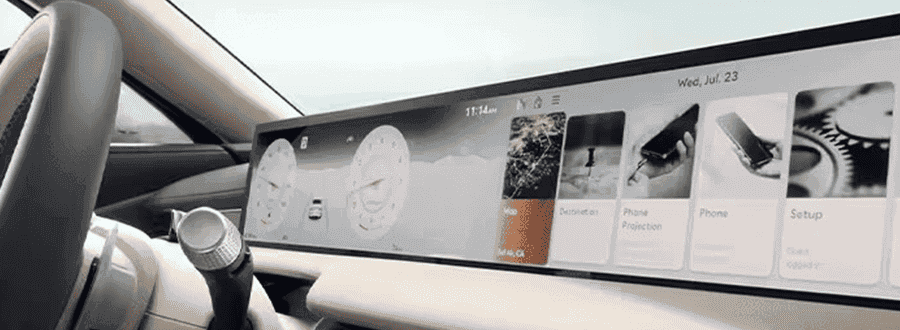
Keyless access on Genesis vehicles operates through an integrated biometric and digital ecosystem combining Face Connect facial recognition, Genesis Digital Key 2 device synchronization, and an in-cabin Fingerprint Authentication System. This technology allows drivers to unlock, enter, start, and drive their vehicle using facial identification, a compatible smartphone or smartwatch, or an NFC smart card, eliminating the need to carry a physical key fob.
The foundation of this system connects exterior optical sensors, interior biometric scanners, and mobile device encryption to the vehicle’s onboard computer network. When approaching the vehicle, a Near-Infrared (NIR) camera mounted in the driver-side door pillar scans facial topology to unlock the doors. Once inside, an optical fingerprint sensor located on the dashboard authenticates driver identity to energize the starter system.
For drivers navigating daily routines in Delray Beach, this hands-free access offers practical freedom. Parking near Atlantic Avenue for a beach walk or dinner no longer requires carrying bulky key fobs or worrying about dropping electronics in the sand. Every access method connects to personalized vehicle profiles, automatically adjusting seat height, exterior mirror angles, head-up display positions, climate settings, and radio station presets the moment authentication completes.
This connected setup is engineered into flagship luxury models including the 2026 Genesis GV80 and 2026 Genesis G90. Beyond standalone keyless entry, Genesis Digital Key 2 utilizes Ultra-Wideband (UWB) radio frequencies to detect approaching authorized mobile devices from several feet away, unlocking doors automatically without taking your phone out of a pocket or purse. Drivers interested in experiencing these keyless capabilities firsthand can find our Delray Beach showroom location or give our team a quick call at (561) 265-0000 for details on current trim availability.
How Does Genesis Face Connect Facial Recognition Unlock the Vehicle?
Genesis Face Connect unlocks the vehicle using a Near-Infrared (NIR) camera and an integrated LED illuminator housed within the driver-side B-pillar to capture a three-dimensional biometric scan of the driver’s facial structure. The system processes image data through a specialized Deep Learning neural network that compares live geometry against stored facial profiles, unlocking the doors automatically when a match is verified.
Environmental conditions such as pitch darkness, bright direct sunlight, heavy rain, or fog do not impede optical recognition. The near-infrared wavelength cuts through ambient darkness and glares while illuminating facial contours without blinding the user. Whether returning to your vehicle late at night or under bright Florida sunlight, the camera identifies authorized users reliably. When local drivers examine keyless entry during a vehicle walk-around, they often ask whether Face Connect can recognize them in pitch darkness or heavy rain, and the near-infrared camera is designed specifically to solve those lighting extremes.
Security safeguards prevent unauthorized entry using static media. The system creates a dynamic 3D depth map of facial features rather than scanning a flat image. Consequently, two-dimensional printed photographs, high-resolution digital pictures, or video playback on smartphone screens cannot trick the facial recognition sensors into unlocking the vehicle.
System storage accommodates up to two unique facial profiles per vehicle. Each registered face links directly to individual driver profile memories. When Profile 1 unlocks the driver’s door via Face Connect, the vehicle adjusts the steering column, driver’s seat, side mirrors, infotainment settings, and ambient cabin lighting before you sit down.
This optical access system is available across luxury models, including our new Genesis Electrified G80 inventory as well as select models in our pre-owned inventory.
Which Smartphones and Smartwatches Are Compatible with Genesis Digital Key 2?
Genesis Digital Key 2 is compatible with Apple, Samsung, and Google flagship smartphones and smartwatches equipped with Ultra-Wideband (UWB) chips and Near Field Communication (NFC) hardware. Compatible mobile devices allow drivers to lock, unlock, start, and drive their vehicle without physically touching the phone or bringing a traditional key.
Device compatibility spans major mobile platforms with modern security chipsets:
- Apple: iPhone 11 models and newer running current iOS software, along with Apple Watch Series 6 and newer.
- Samsung: Galaxy S20 series and newer flagship devices, including Galaxy Z Fold and Galaxy Z Flip series with UWB support.
- Google: Pixel 6 Pro, Pixel 7 Pro, Pixel 8 Pro, and subsequent Pro-tier Google devices.
The underlying Ultra-Wideband (UWB) architecture precise-locates the user relative to the vehicle. As you approach the driver’s door, proximity sensors detect the digital key pass stored inside your native Apple Wallet, Samsung Wallet, or Google Wallet, illuminated puddle lamps light up, and the door handles present themselves without requiring phone interaction.
Primary owners can share encrypted digital key passes with up to three family members or friends via secure text messaging. The master key holder can grant full operational access or set restricted parameters, such as limiting access to trunk-only opening or setting temporary expiration windows.
Suburban families in Coconut Creek who frequent Quiet Waters Park for trail runs or watersports appreciate leaving physical key fobs at home, relying solely on an Apple Watch or Samsung Galaxy smartwatch for full vehicle operation. Exact feature availability depends on the specific model tier and equipment configuration, which our team can verify across our certified pre-owned Genesis selection and new vehicle lineups.
What Happens If the Fingerprint Sensor Is Dirty, Wet, or Offline?
If the B-pillar camera or dashboard Fingerprint Authentication System cannot read biometric data due to heavy dirt, standing water, or temporary sensor obstruction, drivers can enter a custom security PIN on the central touchscreen display to authenticate identity and start the engine.
The vehicle’s infotainment system provides clear visual prompts whenever an initial fingerprint scan is interrupted by moisture, lotion, or debris. Entering the multi-digit backup PIN overrides the biometric block, restoring full access to ignition capabilities, personalized driver profile settings, and valet mode security controls.
Maintaining optical clarity on biometric hardware requires simple care. Wiping the B-pillar optical lens and interior dashboard fingerprint pad with a dry microfiber cloth clears environmental residue.
Once identity is confirmed via fingerprint or PIN entry, the engine start button activates immediately without requiring a key fob inside the cabin. Drivers interested in upgrading to a model equipped with biometric authentication can value your trade-in online to evaluate current vehicle equity.
How Does Genesis Biometric Access Compare to Traditional Key Fobs?
Genesis biometric technology replaces radio-frequency key fobs with biological authentication and encrypted Ultra-Wideband (UWB) mobile wallet communication, eliminating physical key management and preventing common radio signal interception techniques.
| Feature | Traditional Proximity Key Fob | Genesis Face Connect & Digital Key 2 |
|---|---|---|
| Primary Access Method | Physical key fob radio frequency | 3D facial recognition & smartphone wallet |
| Engine Start Method | Fob proximity inside cabin | In-cabin fingerprint scanner or digital key |
| Relay Theft Vulnerability | Susceptible to signal amplification | Protected by UWB spatial encryption & biometrics |
| Driver Profile Sync | Manual button selection | Automatic adjustment upon biometric scan |
| Access Sharing | Handing over physical key fob | Texting encrypted digital key pass to up to 3 devices |
Proximity key fobs transmit continuous radio signals that unauthorized third parties can intercept using signal amplifiers. In contrast, Genesis Digital Key 2 relies on precise Ultra-Wideband (UWB) distance measurement that prevents relay attacks by validating the exact physical proximity of the phone. Furthermore, Face Connect requires live facial depth verification that cannot be cloned remotely.
Eliminating physical keys prevents misplaced fobs, accidental lockouts, and bulky pockets during outdoor activities. Drivers considering a new luxury vehicle purchase can explore financing options online to review current vehicle acquisition plans.
Common Questions About Genesis Keyless Access Technology
Q: Can Genesis Face Connect be fooled by a photograph or digital image of your face?
No, Face Connect uses a Near-Infrared (NIR) camera and Deep Learning processor to build a three-dimensional depth map of facial topology. Static 2D printed photographs, digital screen images, and video recordings lack spatial depth and cannot trick the biometric sensors into unlocking the vehicle.
Q: Does Genesis Face Connect work in total darkness or adverse weather?
Yes, Face Connect operates effectively in complete darkness, bright direct sunlight, heavy rain, and cold weather conditions. An integrated near-infrared LED illuminator lights the driver’s face in dark environments without producing visible glare or disturbing optics.
Q: Can you share a Genesis Digital Key 2 pass with family members?
Primary vehicle owners can securely share digital key passes with up to three family members or trusted contacts using Apple Wallet, Samsung Wallet, or Google Wallet via text message. The primary owner can grant full operational access or set access restrictions.
Q: What happens if your smartphone battery dies while using Digital Key 2?
Most compatible Apple, Samsung, and Google devices feature power-reserve modes that allow NFC digital key transactions to function for several hours after the phone battery drains, allowing you to unlock and start the vehicle by holding the phone against the door handle and wireless charging pad.
Q: How many facial profiles can Genesis Face Connect store?
Face Connect stores up to two distinct facial profiles per vehicle. Each registered profile links directly to stored driver seat positions, side mirror angles, head-up display configurations, climate settings, and audio presets. Shoppers who want to learn more about our team can consult our technology specialists for complete setup demonstrations.
Prices and MSRP referenced in this article are estimates for informational purposes only and do not constitute an offer to sell. See dealer for complete details.
Fuel economy estimates shown may differ from official EPA ratings and should not be relied upon as a guarantee of actual vehicle performance.
0 comment(s) so far on Genesis Digital Key and Face Connect Explained: How Keyless Access Works